 Double Ape
An app is worth it when you want to see the countdown every day, get a reminder before the date, or follow several countdowns at once. Here's how to set one up on Android, with ideas for different kinds of events.
Make a countdown with the Countdown app
Countdown - Days Until Widget works on Android 7 and newer. It's free with ads and holds up to 3 countdowns; Premium removes the limit.
Event countdown to birthdays, trips & big days - with home screen widgets.
- Tap + and name the event, for example "Trip to Japan" or "Mom's Birthday". Tap Continue.
- Pick the date. Leave All day on, or turn it off to set a start time and count down to the hour.
- Set it to repeat, if needed. Turn on Repeats, then choose how often in Repeat every: for example every 1 year for a birthday or an anniversary, or every 1 month for payday.
- Add reminders. Choose from On the day (or When it starts for an event with a time), One day before, One week before, Two weeks before, One month before or One year before. Reminders for all-day events arrive at 9 a.m.; for timed events, at the event's start time on the chosen day. Tap Continue.
- Pick a background, one of your photos or a color, and tap Add event.
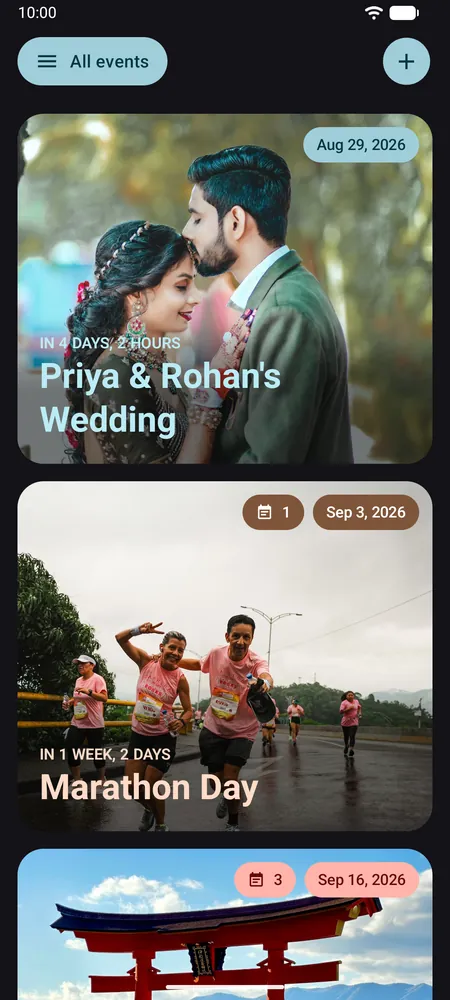
Choose how the time is shown
Open an event's menu and tap Edit style to pick a format. Days shows the number of days left, and Intelligent shows a readable mix such as "in 3 weeks, 1 day", with hours as the day gets close. Both are free. Premium adds Working days, custom formats, fonts and text colors.
Ideas for different events
Birthdays and anniversaries
Make the event repeat every year, so the countdown moves to next year's date once the day passes. A reminder one week before leaves time to plan a gift or book a table.
Weddings
Add a checklist note to the event, for example for suppliers, guests or the honeymoon, and tick items off as the day gets closer. The free version holds one note per event; Premium allows unlimited notes.
Trips and vacations
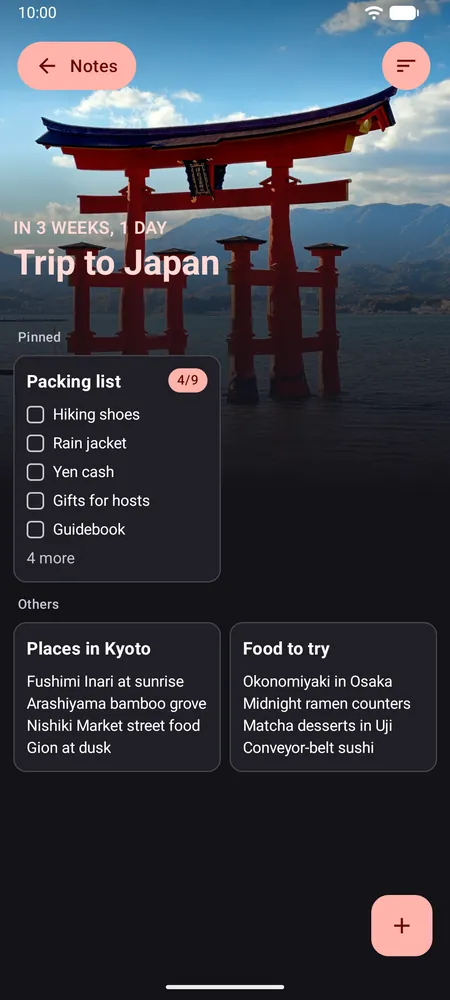
Use a photo of your destination, and add a packing list as a checklist note. Pin the most important notes so they stay at the top.
Exams and deadlines
The Working days format (Premium) counts the Monday-to-Friday days left. It doesn't skip public holidays, and when no weekdays are left it shows hours and minutes instead. For a baby's due date, retirement or New Year's Eve, a plain day count works well.
Share the countdown
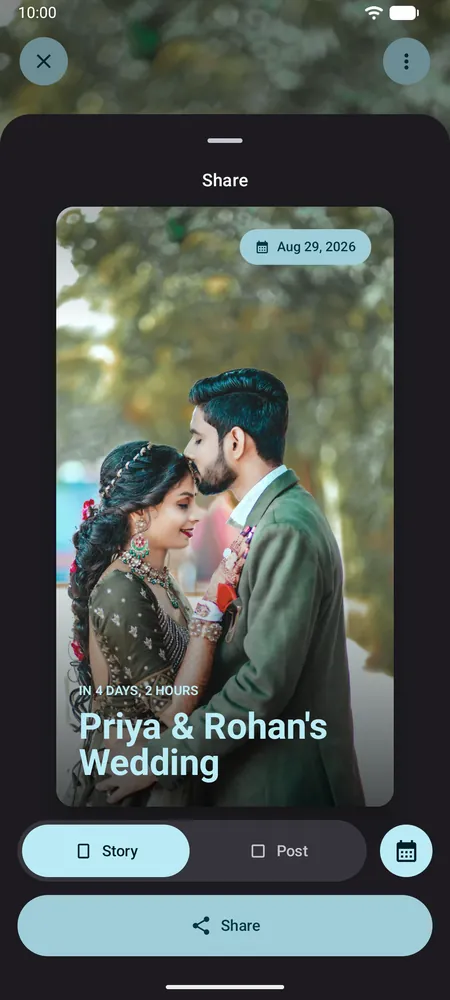
Tap Share on an event to turn it into an image, sized as a Story or a Post, with or without the date. Send it on WhatsApp or post it on Instagram.
Keep it in view
- Home screen widget (free): see the days left without opening the app. Here's how to add a countdown widget.
- Live wallpaper (Premium): your photo and the countdown as your wallpaper. On Android 13 and older, the lock screen shows a still image refreshed once a day.
Frequently asked questions
How do I make a birthday countdown that repeats every year?
When you set the date, turn on Repeats and choose every 1 year. When the birthday passes, the countdown moves to the next one automatically.
Why didn't I get a countdown reminder?
Check that notifications are allowed for the app, which Android 13 and newer ask for. On Android 12 and newer, also allow Alarms & reminders when asked: without it, reminders still arrive, but may be late.
Does the working days count skip holidays?
No. Working days counts Monday to Friday and doesn't know about public holidays. It's a Premium format.
How many countdowns can I create for free?
Up to 3, with ads. Premium removes the limit and the ads.