 Double Ape
Games for cats turn a phone or tablet into a toy: a mouse, a fish or a bug runs across the screen, and your cat tries to catch it with a paw. Here's what cats see on a screen, how to set up a session without trouble, and how to keep screen play healthy.
Do cats like games on a phone or tablet?
Many do, especially young and playful cats. A small shape that darts, stops and changes direction looks a lot like prey, and cats react to that movement more than to the picture itself.
Not every cat is interested. Some watch for a while and walk away, some prefer one kind of prey over another, and some only play when the prey moves slowly. Try a few different prey and speeds before deciding your cat doesn't care.
How cats see the screen
- Motion matters most. Cats notice movement first, so prey that runs, stops and turns gets more attention than prey that moves in a straight line.
- Fewer colors. Cats see mostly blues and yellows, and have trouble telling red from green. Brightness contrast matters more than color: a bright target on a dark background is easier to see than a red one on green.
- Brightness helps. Turn the screen brightness up, especially in a bright room.
- Bigger is easier. A tablet gives the prey more room to run and your cat a bigger target than a phone.
Set up a play session
- Pick the device. A tablet works best; a phone works too. Pouncing paws can scratch or knock a device, so use a screen protector, or an older device you don't mind.
- Lay it flat on the floor or a rug, where it can't slide or fall. Stay nearby.
- Stop interruptions. Turn on Do Not Disturb from Quick Settings, and check which calls and apps it still lets through.
- Pin the game so a paw can't switch apps or go to the home screen (see below).
- Start the game and let your cat discover it. Some cats need a few sessions before they pounce.
Turn on screen pinning on Android
Screen pinning keeps one app on the screen until you unpin it. Turn it on once, then pin the game each time.
- Turn it on. Search Settings for "pinning" (or "pin"). It's called App pinning on Pixel phones, Pin app or Pin windows on Samsung. Turn on the option to ask for your PIN before unpinning, so your cat can't unpin it.
- Pin the game. Open the game, then open Recents: swipe up from the bottom and hold, or tap the Overview button. Tap the game's icon at the top of its preview and choose Pin (Pin this app on Samsung).
- Unpin it when you're done. With gesture navigation, swipe up and hold. With two buttons, touch and hold Back and Home. With three buttons, touch and hold Back and Overview.
Keep screen play healthy
- Finish with a real catch. Behavior experts warn that games where a cat never catches anything, like laser pointers, can leave it frustrated. Prey on a screen can't be caught either, so end each session with a toy your cat can grab and bite, or a treat.
- Keep it short and watch your cat. There's no research on screen time for cats. For play in general, a behaviorist at International Cat Care suggests sessions of about five minutes, three or four times a day. Stop if your cat seems frustrated.
- Keep playing together. A screen game is one way to play, not a replacement for a wand toy and your time.
- You end the session. Many cat games, including the one below, have no timer.
Play with Games for Cats
Games for Cats - Cat Toy is a game for cats made for this: prey that runs, stops and turns across the whole screen, with a sound and a vibration when your cat catches it. It works offline, on phones and tablets.
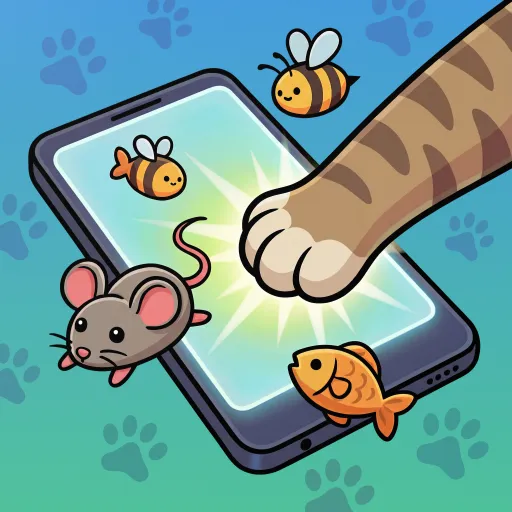
Turn your phone into a cat toy - catch the mouse games cats & kittens love
On Android:
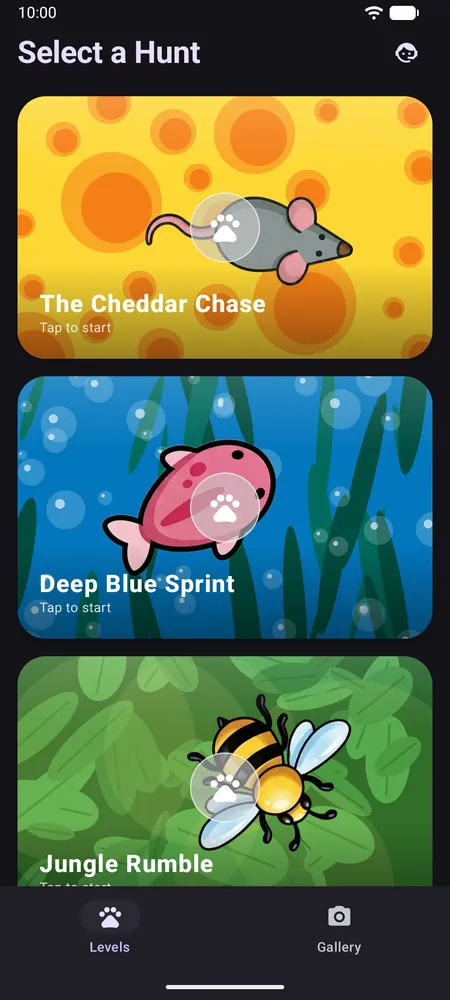
- Choose a hunt. On Select a Hunt, pick a prey: a mouse, fish, bee, ladybug, lizard, fly or a red laser dot, each with its own background.
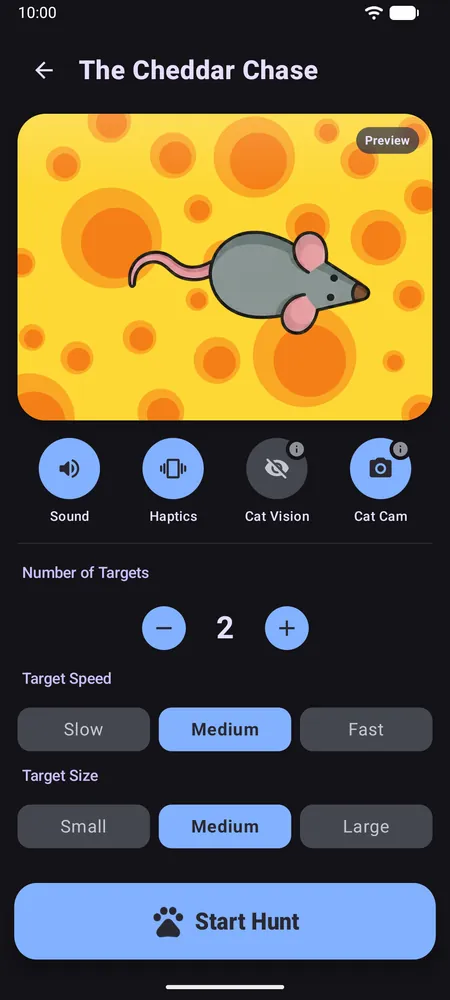
- Adjust the hunt. Set Number of Targets (1 to 10), Target Speed and Target Size. For kittens or beginners, start with one large, slow target. The Sound and Haptics buttons turn the sounds and vibration on or off.
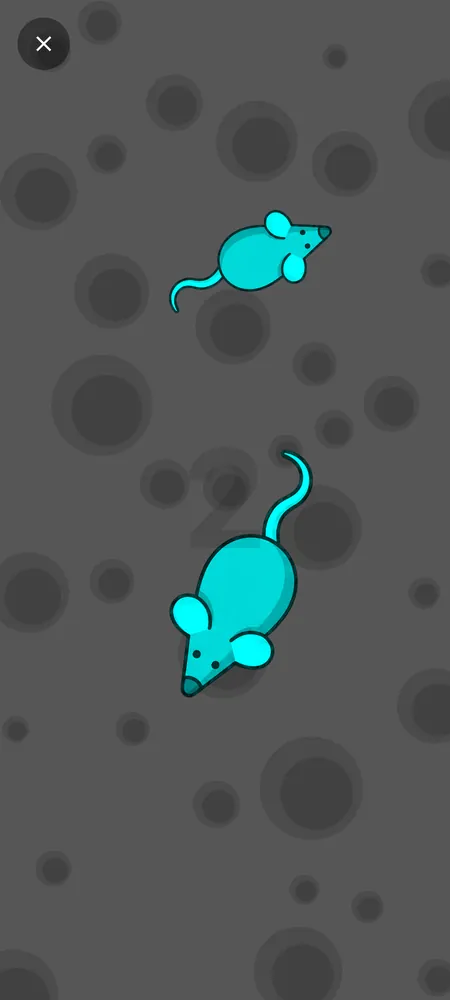
- Turn on Cat Vision (optional). It shows the prey in bright cyan and darkens the background to grey, for more contrast.
- Tap Start Hunt and put the device down. The game fills the screen, keeps it on and ignores the Back button. To leave, touch and hold the X in the corner for two seconds, which a quick paw tap won't do. Screen pinning still helps, because a swipe from the edge can bring back the phone's navigation.
Photos of your cat
With Cat Cam on, the front camera takes a short burst of photos each time your cat catches something, so you can see its face at the moment of the pounce. Your cat needs to be in view of the front camera. Capturing is free; viewing, sharing and saving the photos or animated GIFs needs Premium.
On an iPhone or iPad
The game is also on the App Store, for iOS and iPadOS 26 or newer. Instead of screen pinning, use Guided Access: turn it on in SettingsAccessibilityGuided Access, open the game and triple-click the side button on an iPhone, the top button on an iPad, or the Home button on older models. Choose Guided Access if asked, then tap Start. To finish, triple-click again, enter your Guided Access passcode and tap End.
Good to know
- What's free on Android: all seven single-prey hunts and every setting. Free players may see a full-screen ad when starting a hunt and when replaying or leaving the results, never during play.
- Premium removes the ads and unlocks Critter Shuffle (a hunt mixing several prey) and your Cat Cam photos.
- Works offline: no internet connection is needed to play.
- Vibration depends on your device: many tablets have no vibration motor.
Frequently asked questions
Can my cat scratch the screen?
It can happen. Use a screen protector or an old device, keep sessions short and stay nearby.
How do I stop my cat from leaving the game?
Turn on screen pinning in your phone's settings and pin the game before you start. In Games for Cats, the Back button is also disabled during a hunt, and leaving needs a two-second hold on the X.
Are screen games bad for cats?
There's little research on screen games for cats. Keep sessions brief and supervised, stop if your cat gets frustrated, and finish with a real toy or a treat so your cat gets a real catch.
Do games for cats work on an iPad?
Yes. The game is also on the App Store for iPhone and iPad, for iPadOS 26 or newer. Guided Access in the accessibility settings does the same job as screen pinning.