
App description
Trim Video - Cut Video: cut your clips to exactly the parts that matter, in seconds.
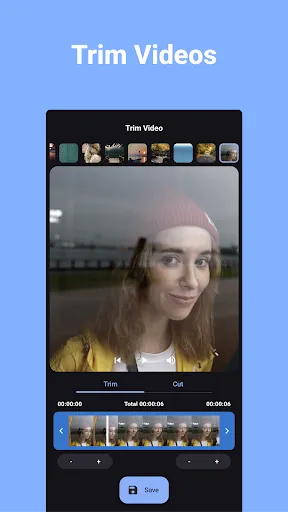
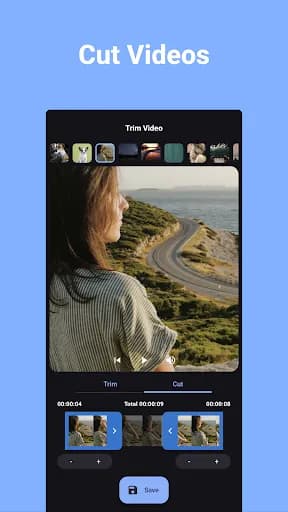
Trim the start and end off any video, or cut out the boring middle and keep only the highlights. Precise controls, no watermark - and simple trims keep your video's original quality.
✂️ PRECISE TRIMMING & CUTTING
Drag the handles to select your clip, nudge the boundaries in half-second steps, or type an exact timestamp down to the millisecond.
🎬 KEEP MULTIPLE SEGMENTS
Select more than one segment of the same video - cut out the middle, keep the intro and the finale - then merge the segments into one video or export them separately.
🔍 CROP & SPEED
Crop with aspect-ratio presets (square, portrait and more) and change playback speed from 0.5x slow motion to 8x fast forward - all in the same export.
🔊 VOLUME & MUTE
Lower the volume or mute your clip entirely before saving.
💎 ORIGINAL QUALITY, NO WATERMARK
Simple trims are saved without re-encoding whenever possible, keeping the original quality, resolution and format. And there's never a watermark or logo on your output.
🗂️ BATCH PROCESSING
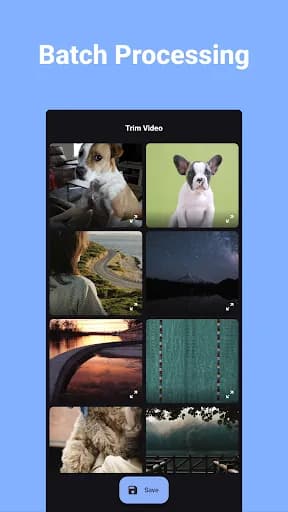
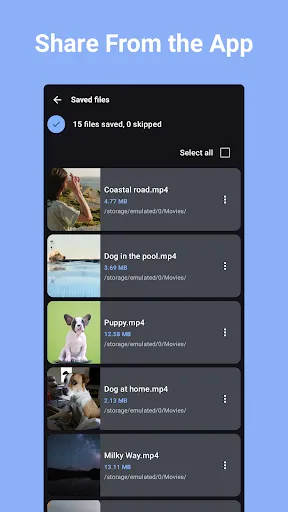
Trim multiple videos in one go.
📤 SAVE & SHARE ANYWHERE
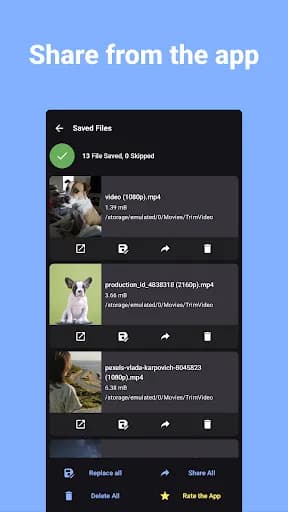
Save as a new file or replace the original, then share straight to Instagram, TikTok, YouTube, WhatsApp and more. Everything is processed on your device - nothing is uploaded.
PERFECT FOR:
📱 Cutting clips for reels, stories & shorts
🎥 Trimming long recordings down to the highlight
📧 Making videos short enough to send
🏠 Cleaning up home videos before sharing
Simple, fast, and free. Download Trim Video and cut your first clip in seconds.
Trim the start and end off any video, or cut out the boring middle and keep only the highlights. Precise controls, no watermark - and simple trims keep your video's original quality.
✂️ PRECISE TRIMMING & CUTTING
Drag the handles to select your clip, nudge the boundaries in half-second steps, or type an exact timestamp down to the millisecond.
🎬 KEEP MULTIPLE SEGMENTS
Select more than one segment of the same video - cut out the middle, keep the intro and the finale - then merge the segments into one video or export them separately.
🔍 CROP & SPEED
Crop with aspect-ratio presets (square, portrait and more) and change playback speed from 0.5x slow motion to 8x fast forward - all in the same export.
🔊 VOLUME & MUTE
Lower the volume or mute your clip entirely before saving.
💎 ORIGINAL QUALITY, NO WATERMARK
Simple trims are saved without re-encoding whenever possible, keeping the original quality, resolution and format. And there's never a watermark or logo on your output.
🗂️ BATCH PROCESSING
Trim multiple videos in one go.
📤 SAVE & SHARE ANYWHERE
Save as a new file or replace the original, then share straight to Instagram, TikTok, YouTube, WhatsApp and more. Everything is processed on your device - nothing is uploaded.
PERFECT FOR:
📱 Cutting clips for reels, stories & shorts
🎥 Trimming long recordings down to the highlight
📧 Making videos short enough to send
🏠 Cleaning up home videos before sharing
Simple, fast, and free. Download Trim Video and cut your first clip in seconds.
What our users say
I downloaded this because I needed it quickly,and it was very handy with trimming my video (not the video frame,but the actual video) and was very easy to use,no ads until after clicking save for the video.

RehamAmaal
I like its UI and how its process, the free version contains ads but as my experience first ad I see from it not those style of ad lock your screen and making you mad. I like this app so much more then cap cut and other famous apps

Oraraka Deko
I am so relieved to find something straightforward and intuitive that just works. I really don't edit and share videos often and all I wanted to do was take like ten seconds off of a screen recording of a mobile game match to post on Reddit. Spent like twenty minutes installing and promptly uninstalling other editing apps, tried this one and was done in two. Thank you guys! I'm actually a lot more likely to record and share stuff in the future now that I have this on my phone.

Dusty Spectacles
It's actually seems to work good. I had one hiccup on a section of a video that I was trying to trim and all the other sections worked fine. breaking down a 15-minute video into three minute segments. I adjusted the trim on each end by a number of seconds, and then it seemed to work fine. for some reason it kept erroring on a specific section lol. not sure why. but when I adjusted the trim by a few seconds on either side then it worked. this one seems to work where others seem to fail on videos

Jeff Hudson