App description
Keep Screen On - stop your screen from turning off when you need it most.
Reading a recipe, following a map, or keeping an eye on a long download? Keep Screen On stops your phone from dimming and locking - all the time, or only in the exact situations you choose.
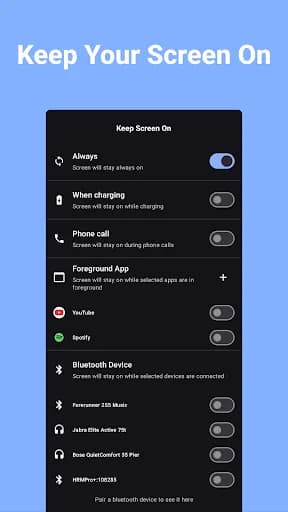
🕒 ALWAYS ON
Keep your screen awake indefinitely with a single switch.
🔌 ON WHILE CHARGING
Prevent screen timeout only while your phone is plugged in.
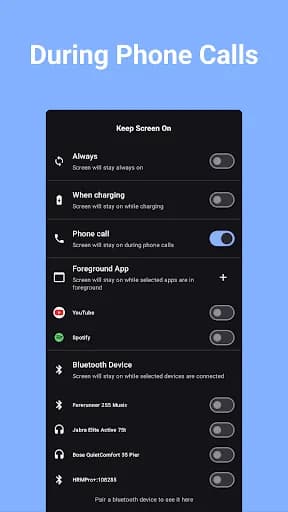
📞 ON DURING PHONE CALLS (PRO)
Keep the screen awake during calls, so your dialer and notes stay in view.
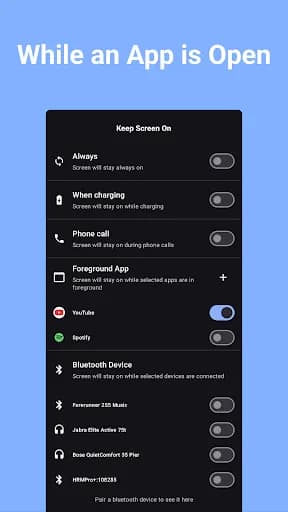
📱 ON FOR SPECIFIC APPS (PRO)
Pick the apps that should keep your screen on - maps, recipes, e-books, games - and let it time out normally everywhere else.
🎧 ON WITH BLUETOOTH (PRO)
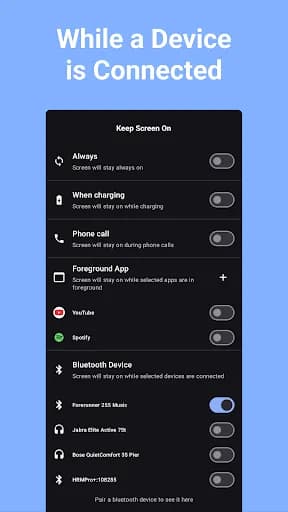
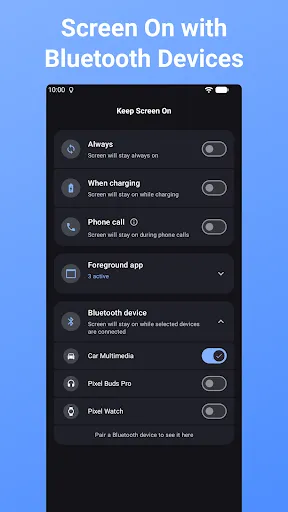
Keep the screen on while connected to selected Bluetooth devices - great for maps and playlists when paired with your car.
🧩 WIDGET & QUICK SETTINGS TILES
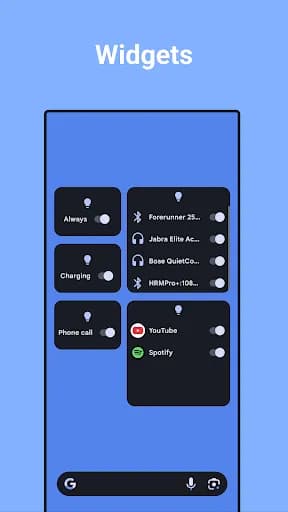
Toggle Keep Screen On straight from your home screen or notification shade - build a widget with exactly the toggles you use most.
♻️ SET & FORGET
The app restarts automatically after a reboot, so your preferences are always active - no need to set it up again.
PERFECT FOR:
🗺️ Navigation & GPS
📚 Reading & taking notes
🍳 Cooking with a recipe on screen
🎮 Games & apps that shouldn't be interrupted
Always-on and while-charging modes are free; features marked PRO are part of the premium upgrade.
Download Keep Screen On and never fight your screen timeout again.
Reading a recipe, following a map, or keeping an eye on a long download? Keep Screen On stops your phone from dimming and locking - all the time, or only in the exact situations you choose.
🕒 ALWAYS ON
Keep your screen awake indefinitely with a single switch.
🔌 ON WHILE CHARGING
Prevent screen timeout only while your phone is plugged in.
📞 ON DURING PHONE CALLS (PRO)
Keep the screen awake during calls, so your dialer and notes stay in view.
📱 ON FOR SPECIFIC APPS (PRO)
Pick the apps that should keep your screen on - maps, recipes, e-books, games - and let it time out normally everywhere else.
🎧 ON WITH BLUETOOTH (PRO)
Keep the screen on while connected to selected Bluetooth devices - great for maps and playlists when paired with your car.
🧩 WIDGET & QUICK SETTINGS TILES
Toggle Keep Screen On straight from your home screen or notification shade - build a widget with exactly the toggles you use most.
♻️ SET & FORGET
The app restarts automatically after a reboot, so your preferences are always active - no need to set it up again.
PERFECT FOR:
🗺️ Navigation & GPS
📚 Reading & taking notes
🍳 Cooking with a recipe on screen
🎮 Games & apps that shouldn't be interrupted
Always-on and while-charging modes are free; features marked PRO are part of the premium upgrade.
Download Keep Screen On and never fight your screen timeout again.
What our users say
Ok, I don't have a $1,000 phone. It's a free Obama phone & it wouldn't stop going to sleep when I needed it for a sleep apnea home test. I used up the 7 day free trial on the next test & then unsubscribed a few days later. If I need it again I'll buy the month to month subscription for 99 cents. This worked on my cheap phone which I'm very grateful as this is quite important & the staff at the sleep center acted like it was my fault for not having an iPhone. This app was a literal life saver!

Arlo Alps
Really good, I have a prob with screen now, is that when I turn off the screen and when will turn on again, it's very hard. So I use this app to keep the screen on 24 hrs until I fix this prob. Lol thankss

44 Sasikan Samr.
Works great! I love that it can enable itself when using specific apps. Any way to turn off the notification icon while Screen On is not active? The "waiting for selected options to be met" notification..

Zach Hunter
Easy to use but some features need ads As the developer says, you can do everything that the paid version does with the 4.2mb free version and it works well for me . Even though it's taking much battery .

Bunmi Isaacola