App description
Cut Audio - trim songs, recordings and any audio in a few taps.
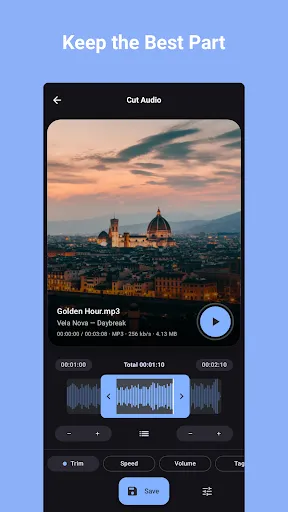
The perfect section of a song for your ringtone, a voice memo with dead air at both ends, the sound of a video you want as a clip: Cut Audio lets you cut any audio file on a waveform, polish it with fades, and save it - or set it as your ringtone without leaving the app.
✂️ CUT ON A WAVEFORM
See your audio and select exactly the section you need. Keep one segment or several - multiple segments are merged into a single audio file.
🎬 WORKS WITH VIDEOS TOO
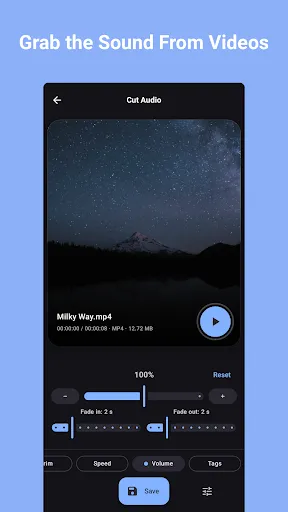
Pick a video and cut its audio track directly - no separate extraction step. The app works with the files on your phone - it's not a downloader for YouTube or other sites.
📱 SET AS RINGTONE
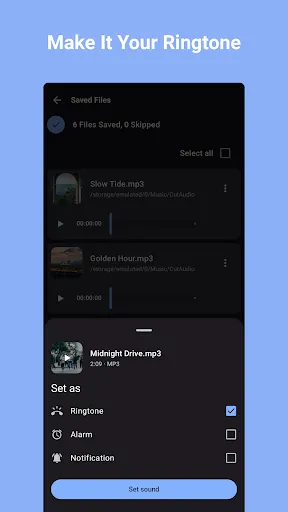
Set your clip as a ringtone, alarm or notification sound directly from the app.
🔊 VOLUME & FADES
Set the volume and add fade-in and fade-out effects for smooth starts and endings.
🎵 EXPORT IN ANY FORMAT
Save as MP3, M4A or OGG. Choose the bitrate, and mono or stereo output.
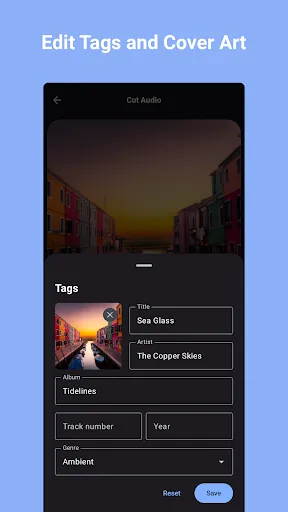
🏷️ EDIT TAGS & COVER ART
Set the title, artist, album, genre and cover image of your clips, so they look right in your music player.
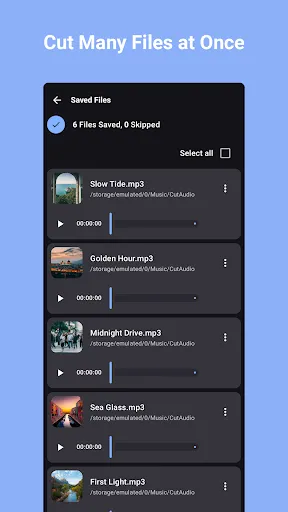
🗂️ BATCH EDITING
Cut multiple audio files at once - no waiting on one file at a time.
📤 SHARE ANYWHERE
Send your clips via messaging apps, email or any other platform.
PERFECT FOR:
📱 Making custom ringtones, alarms and notification sounds
🎶 Keeping the best part of a song
🎙️ Trimming voice memos and recordings
📹 Clipping the audio from videos
🎧 Cutting long recordings down to the good part
Simple, fast, and free. Download Cut Audio and cut your first clip in seconds.
The perfect section of a song for your ringtone, a voice memo with dead air at both ends, the sound of a video you want as a clip: Cut Audio lets you cut any audio file on a waveform, polish it with fades, and save it - or set it as your ringtone without leaving the app.
✂️ CUT ON A WAVEFORM
See your audio and select exactly the section you need. Keep one segment or several - multiple segments are merged into a single audio file.
🎬 WORKS WITH VIDEOS TOO
Pick a video and cut its audio track directly - no separate extraction step. The app works with the files on your phone - it's not a downloader for YouTube or other sites.
📱 SET AS RINGTONE
Set your clip as a ringtone, alarm or notification sound directly from the app.
🔊 VOLUME & FADES
Set the volume and add fade-in and fade-out effects for smooth starts and endings.
🎵 EXPORT IN ANY FORMAT
Save as MP3, M4A or OGG. Choose the bitrate, and mono or stereo output.
🏷️ EDIT TAGS & COVER ART
Set the title, artist, album, genre and cover image of your clips, so they look right in your music player.
🗂️ BATCH EDITING
Cut multiple audio files at once - no waiting on one file at a time.
📤 SHARE ANYWHERE
Send your clips via messaging apps, email or any other platform.
PERFECT FOR:
📱 Making custom ringtones, alarms and notification sounds
🎶 Keeping the best part of a song
🎙️ Trimming voice memos and recordings
📹 Clipping the audio from videos
🎧 Cutting long recordings down to the good part
Simple, fast, and free. Download Cut Audio and cut your first clip in seconds.